Ready to get the most from your new Samsung Galaxy S26? Whether you’re a longtime Galaxy fan or holding this device for the first time, having easy access to a comprehensive Samsung Galaxy S26 user guide makes all the difference. This article shows you how to find, download, and use Samsung’s official manual and shares quick beginner tips you won’t want to miss.
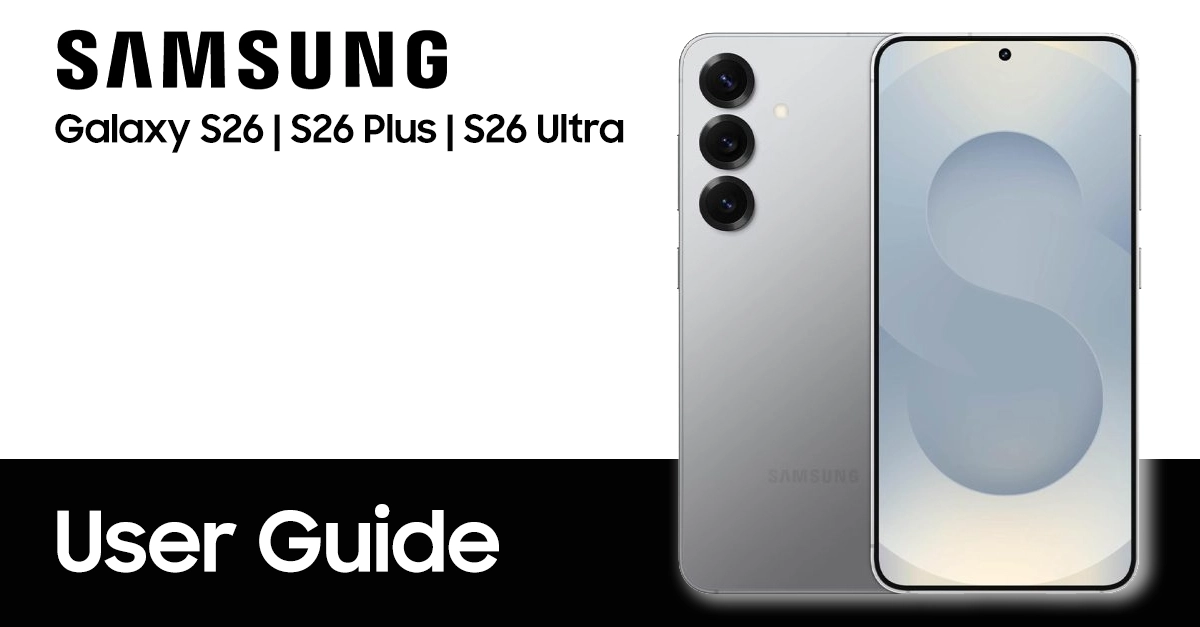
Why Every Galaxy S26 Owner Needs the Official User Guide
Navigating a powerful device like the Samsung Galaxy S26 is easier when you have a full roadmap at your fingertips. Samsung offers a detailed user manual packed with practical instructions, illustrations, and troubleshooting advice. Here’s why downloading the official guide matters:
- Covers Each Feature: Step-by-step guidance on everything from setup to advanced security.
- Solves Common Issues: Quick solutions for battery, network, and app problems.
- Keeps You Updated: Learn the latest features with clear One UI instructions.
- Supports Self-Sufficiency: No need to run to a service center for simple fixes!
How to Download the Samsung Galaxy S26 User Guide
Downloading the Samsung S26 user guide is simple and free, you can find on the table listed below. Please select based on model number, country or your language.
| Country | Version | Model Numbers | Language | Download |
|---|---|---|---|---|
| Global - Unlocked | Galaxy S26 | SM-S942B/DS | English | Download |
| Galaxy S26 Plus | SM-S947B/DS | Download | ||
| Galaxy S26 Ultra | SM-S948B/DS | Download | ||
| Albania | Galaxy S26 | SM-S942B/DS | Albanian | Download |
| Galaxy S26 Plus | SM-S947B/DS | Download | ||
| Australia | Galaxy S26 | SM-S942B/DS | English | Download |
| Galaxy S26 Plus | SM-S947B/DS | Download | ||
| Brazil | Galaxy S26 | SM-S942B/DS | Português | Download |
| Galaxy S26 Plus | SM-S947B/DS | Download | ||
| Bulgaria | Galaxy S26 | SM-S942B/DS | Български | Download |
| Galaxy S26 Plus | SM-S947B/DS | Download | ||
| Canada | Galaxy S26 | SM-S942W | English | Download |
| Galaxy S26 Plus | SM-S947W | Download | ||
| Canada | Galaxy S26 | SM-S942W | Français | Download |
| Galaxy S26 Plus | SM-S947W | Download | ||
| China | Galaxy S26 | SM-S9420 | 中文 | Download |
| Galaxy S26 Plus | SM-S9470 | Download | ||
| Croatia | Galaxy S26 | SM-S942B/DS | Hrvatski | Download |
| Galaxy S26 Plus | SM-S947B/DS | Download | ||
| Česká republika | Galaxy S26 | SM-S942B/DS | Čeština | Download |
| Galaxy S26 Plus | SM-S947B/DS | Download | ||
| Danmark | Galaxy S26 | SM-S942B/DS | Dansk | Download |
| Galaxy S26 Plus | SM-S947B/DS | Download | ||
| Estonian | Galaxy S26 | SM-S942B/DS | Eesti | Download |
| Galaxy S26 Plus | SM-S947B/DS | Download | ||
| Europe | Galaxy S26 | SM-S942B/DS | English | Download |
| Galaxy S26 Plus | SM-S947B/DS | Download | ||
| Finland | Galaxy S26 | SM-S942B/DS | Finnish | Download |
| Galaxy S26 Plus | SM-S947B/DS | Download | ||
| France | Galaxy S26 | SM-S942B/DS | Français | Download |
| Galaxy S26 Plus | SM-S947B/DS | Download | ||
| German | Galaxy S26 | SM-S942B/DS | Germany | Download |
| Galaxy S26 Plus | SM-S947B/DS | Download | ||
| Greece | Galaxy S26 | SM-S942B/DS | Greek | Download |
| Galaxy S26 Plus | SM-S947B/DS | Download | ||
| Hongkong | Galaxy S26 | SM-S9420 | Traditional Chinese | Download |
| Galaxy S26 Plus | SM-S9470 | Download | ||
| Hungary | Galaxy S26 | SM-S942B/DS | Magyar/Hungarian | Download |
| Galaxy S26 Plus | SM-S947B/DS | Download | ||
| India | Galaxy S26 | SM-S942B/DS | Bengali | Download |
| Galaxy S26 Plus | SM-S947B/DS | Download | ||
| Indonesia | Galaxy S26 | SM-S942B/DS | Bahasa Indonesia | Download |
| Galaxy S26 Plus | SM-S947B/DS | Download | ||
| Israel | Galaxy S26 | SM-S942B/DS | Hebrew | TBA |
| Galaxy S26 Plus | SM-S947B/DS | TBA | ||
| Italia | Galaxy S26 | SM-S942B/DS | Italiano | Download |
| Galaxy S26 Plus | SM-S947B/DS | Download | ||
| Korea | Galaxy S26 | SM-S942N | 한국어 | Download |
| Galaxy S26 Plus | SM-S947N | Download | ||
| Laos | Galaxy S26 | SM-S942B/DS | ພາສາລາວ | Download |
| Galaxy S26 Plus | SM-S947B/DS | Download | ||
| Latin America | Galaxy S26 | SM-S942B/DS | Spanish/Español | Download |
| Galaxy S26 Plus | SM-S947B/DS | Download | ||
| Latvia | Galaxy S26 | SM-S942B/DS | Latviešu | Download |
| Galaxy S26 Plus | SM-S947B/DS | Download | ||
| Lithuania | Galaxy S26 | SM-S942B/DS | Lietuvių | Download |
| Galaxy S26 Plus | SM-S947B/DS | Download | ||
| Macedonia | Galaxy S26 | SM-S942B/DS | Mакедонски | Download |
| Galaxy S26 Plus | SM-S947B/DS | Download | ||
| Middle East | Galaxy S26 | SM-S942B/DS | Arabic | Download |
| Galaxy S26 Plus | SM-S947B/DS | Download | ||
| Middle East | Galaxy S26 | SM-S942B/DS | Farsi | TBA |
| Galaxy S26 Plus | SM-S947B/DS | TBA | ||
| Nederlands | Galaxy S26 | SM-S942B/DS | Nederlands | Download |
| Galaxy S26 Plus | SM-S947B/DS | Download | ||
| Myanmar | Galaxy S26 | SM-S942B/DS | Burmese | Download |
| Galaxy S26 Plus | SM-S947B/DS | Download | ||
| New Zealand | Galaxy S26 | SM-S942B/DS | English | Download |
| Galaxy S26 Plus | SM-S947B/DS | Download | ||
| Norwegia | Galaxy S26 | SM-S942B/DS | Norsk | Download |
| Galaxy S26 Plus | SM-S947B/DS | Download | ||
| Pakistan | Galaxy S26 | SM-S942B/DS | Urdu | TBA |
| Galaxy S26 Plus | SM-S947B/DS | TBA | ||
| Poland | Galaxy S26 | SM-S942B/DS | Język polski | Download |
| Galaxy S26 Plus | SM-S947B/DS | Download | ||
| Portugal | Galaxy S26 | SM-S942B/DS | Português | Download |
| Galaxy S26 Plus | SM-S947B/DS | Download | ||
| Romania | Galaxy S26 | SM-S942B/DS | Română | Download |
| Galaxy S26 Plus | SM-S947B/DS | Download | ||
| Russia | Galaxy S26 | SM-S942B/DS | Русский | Download |
| Galaxy S26 Plus | SM-S947B/DS | Download | ||
| Serbia | Galaxy S26 | SM-S942B/DS | Serbian | Download |
| Galaxy S26 Plus | SM-S947B/DS | Download | ||
| Singapore | Galaxy S26 | SM-S942B/DS | English | Download |
| Galaxy S26 Plus | SM-S947B/DS | Download | ||
| Singapore | Galaxy S26 | SM-S942B/DS | Simplified Chinese | Download |
| Galaxy S26 Plus | SM-S947B/DS | Download | ||
| Slovakia | Galaxy S26 | SM-S942B/DS | Slovak | Download |
| Galaxy S26 Plus | SM-S947B/DS | Download | ||
| Slovenija | Galaxy S26 | SM-S942B/DS | Slovene | Download |
| Galaxy S26 Plus | SM-S947B/DS | Download | ||
| South East Asia | Galaxy S26 | SM-S942B/DS | English | Download |
| Galaxy S26 Plus | SM-S947B/DS | Download | ||
| South East Asia | Galaxy S26 | SM-S942B/DS | Simplified Chinese | TBA |
| Galaxy S26 Plus | SM-S947B/DS | TBA | ||
| Spain | Galaxy S26 | SM-S942B/DS | Español | Download |
| Galaxy S26 Plus | SM-S947B/DS | Download | ||
| Sweden | Galaxy S26 | SM-S942B/DS | Svenska | Download |
| Galaxy S26 Plus | SM-S947B/DS | Download | ||
| Taiwan | Galaxy S26 | SM-S942B/DS | Traditional Chinese | Download |
| Galaxy S26 Plus | SM-S947B/DS | Download | ||
| Thailand | Galaxy S26 | SM-S942B/DS | Thai | Download |
| Galaxy S26 Plus | SM-S947B/DS | Download | ||
| Turkey | Galaxy S26 | SM-S942B/DS | Turkish | Download |
| Galaxy S26 Plus | SM-S947B/DS | Download | ||
| Ukraina | Galaxy S26 | SM-S942B/DS | Ukrainian | Download |
| Galaxy S26 Plus | SM-S947B/DS | Download | ||
| United Kingdom | Galaxy S26 | SM-S942B/DS | English | Download |
| Galaxy S26 Plus | SM-S947B/DS | Download | ||
| US – AT&T | Galaxy S26 | SM-S942U | English | Download |
| Galaxy S26 Plus | SM-S947U | Download | ||
| US – Metro PCS | Galaxy S26 | SM-S942U | English | Download |
| Galaxy S26 Plus | SM-S947U | Download | ||
| US – Cricket | Galaxy S26 | SM-S942U | English | Download |
| Galaxy S26 Plus | SM-S947U | Download | ||
| US – Cricket | Galaxy S26 | SM-S942U | Spanish/Español | Download |
| Galaxy S26 Plus | SM-S947U | Download | ||
| US – US Cellular | Galaxy S26 | SM-S942U | English | Download |
| Galaxy S26 Plus | SM-S947U | Download | ||
| US – Verizon | Galaxy S26 | SM-S942U | English | Download |
| Galaxy S26 Plus | SM-S947U | Download | ||
| Vietnam | Galaxy S26 | SM-S942B/DS | Tiếng Việt Nam | Download |
| Galaxy S26 Plus | SM-S947B/DS | Download | ||
NOTE: For reading this manual, your computer required Adobe Reader apps. You can get the Adobe Reader for free by going here https://get.adobe.com/reader/.
Official Ways to Access Your Manual
From Your Device:
- Go to Settings.
- Scroll down to User Manual, Help, or Tips & User Guide.
- Tap to open and follow on-screen instructions.
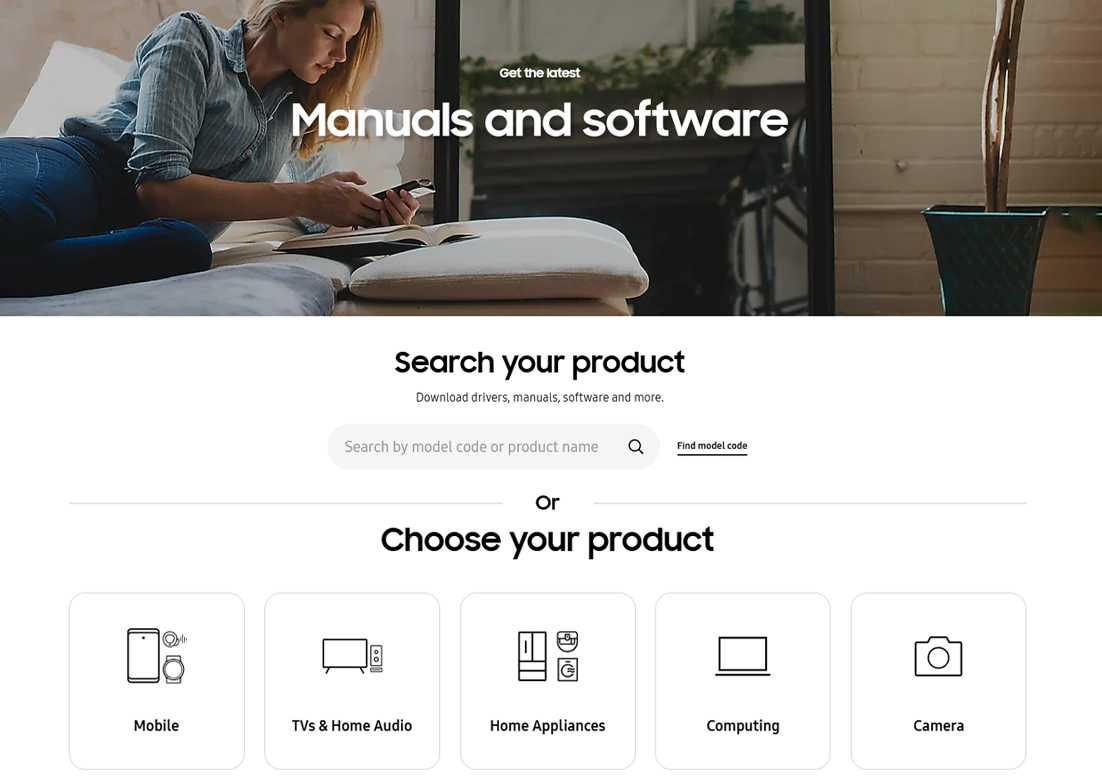
From Samsung Official Support:
- Visit the S Series user manual page.
- Search for “Galaxy S26” in the manual database.
- Download the PDF version for offline access.
Pro Tip:
Save the PDF on your device, cloud drive, or PC, so you never go searching again, even when offline.
What’s Inside the Samsung Galaxy S26 User Guide?
Wondering what you’ll find? The Samsung Galaxy S26 user guide is designed to be beginner-friendly, covering all you need:
- Device Setup: Inserting the SIM card, charging, and powering up for the first time.
- Samsung Account: How to register your device for warranty and app access.
- Fast Charging Tips: Use Adaptive Fast Charging for best results.
- Security & Privacy: Face unlock, fingerprint sensor, and Samsung Pass explained.
- Navigation & Gestures: Master One UI’s swipes, shortcuts, and routines.
- Essential Apps: Calls, texts, browsing, and camera are all covered with how-to visuals.
- Troubleshooting: Fast fixes for Wi-Fi issues, battery saving, and app problems.
- Customization: Set up your Edge Panels, themes, Always On Display, and more.
Each section offers clear language and easy step-by-step walkthroughs—ideal for beginners, seniors, and anyone new to Samsung.
Top Tips for New Galaxy S26 Owners
Even with a user guide in hand, a few smart tips can streamline your S26 experience:
- Enable Adaptive Battery for Better Performance
Keep your device running smoother longer: Go to Settings > Battery > Adaptive Battery.
- Use Samsung’s Smart Switch for Data Transfer
Effortlessly copy contacts, photos, and apps from your old phone—no hassle.
- Customize Edge Panels for Fast Access
Make your favorite apps and contacts one swipe away in Settings > Display > Edge Panels.
- Explore Modes & Routines Automation
Set up automatic actions (like Do Not Disturb at bedtime) from Settings > Modes & Routines.
- Keep Your Device Secure
Activate fingerprint or facial unlock for privacy. Regularly review security settings for extra protection.
- Master One UI Gestures
Practice swipe controls for easy multitasking and quick app switching.
Troubleshooting Basics Every User Should Know
Battery Issues:
- Use Power Saving Mode.
- Check for software updates for optimal performance.
Wi-Fi Problems:
- Restart your router and device.
- Use Wi-Fi Assistant for automatic troubleshooting.
Screen Responsiveness:
- Remove screen protectors if issues occur.
- Calibrate touch settings from Accessibility options.
Why Download the Galaxy S26 User Guide PDF?
Offline access means you’re always covered while traveling, outdoors, or during emergencies. And since Samsung’s manual is searchable, you’ll quickly find answers to any question. Save the guide in your cloud storage or on your device so it’s always handy!
FAQ for Samsung Galaxy S26 User Guide
Here’s a detailed FAQ for the Samsung S26 user manual designed to help users understand setup, maintenance, and troubleshooting based on Samsung’s latest support resources and product guides.
How can I download the official Samsung Galaxy S26 user guide?
Visit Samsung’s official S Series manuals page, search for “Galaxy S26,” and download the PDF version. You can also access it from the device’s settings.
What key features are covered in the Galaxy S26 user guide?
The user guide explains device setup, account registration, charging tips, security features, navigation, essential apps, troubleshooting, and how to customize your Galaxy S26.
Why is downloading the user guide PDF beneficial for Galaxy S26 owners?
The PDF user guide offers offline access to comprehensive instructions, searchable content, and reliable help during emergencies or while traveling without internet.
What tips help new Galaxy S26 owners get started?
Enable adaptive battery, use Smart Switch for data transfer, customize Edge Panels, set up Modes & Routines, regularly review security settings, and master One UI gestures.
How do I troubleshoot common problems on my Galaxy S26?
For battery issues, activate Power Saving Mode and check for software updates; for Wi-Fi problems, restart your router/device and use Wi-Fi Assistant; calibrate screen touch in Accessibility if needed.
Conclusion
With the right information and a handy user manual, every Samsung Galaxy S26 owner can unlock their phone’s full power. Download the official guide, apply these tips, and explore all the features your S26 offers, from security to customization and everything in between. If you ever need extra help, Samsung’s official support team is just a click or chat away.